


A single hour of unplanned downtime costs large enterprises more than $301,000, according to ITIC’s 2025 Hourly Cost of Downtime Survey, and an office move is one of the most common ways that downtime happens. The difference between a relocation that goes smoothly and one that doesn’t usually comes down to planning, not luck. Here’s the office IT relocation checklist IT managers need to get it right.
Start with a complete office IT inventory
Every office IT relocation checklist starts the same way: with a full, accurate inventory of what’s actually moving. That means workstations, monitors, network switches, phone systems, printers, and every server or piece of networking equipment in the building, not just the big-ticket items. A closet full of legacy switches or an old backup server tucked under a desk is easy to forget during planning, but hard to ignore on move day. Skipping this step is the single most common reason IT relocations run over budget or behind schedule, because equipment nobody accounted for shows up as a surprise once the trucks are already loaded. Our guide to IT office moves walks through what to include in that audit in more detail.
Build a realistic IT office relocation project plan
Once you know what’s moving, build the project plan around it, and start earlier than feels necessary. Most IT relocations need at least three months of lead time, longer if new cabling, ISP installation, or a hardware refresh is involved. Assign an owner to each phase (inventory, vendor coordination, packing, reinstallation, testing) so nothing falls into the gap between IT and facilities teams.
Coordinate vendors, ISPs, and network infrastructure early
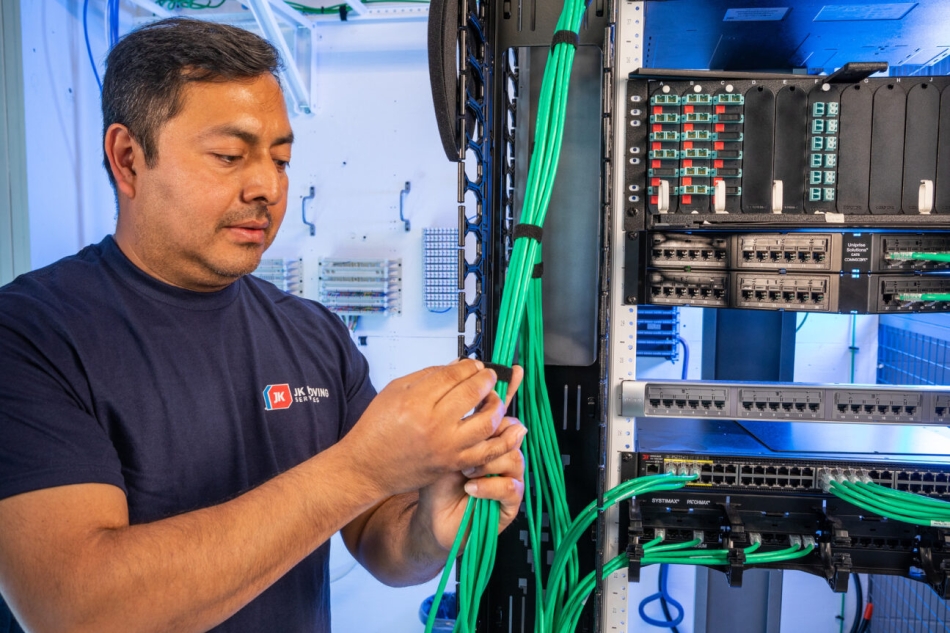 Internet and telecom providers are usually the longest lead-time item in any office move, and also the easiest to underestimate. Contact your ISP and telecom vendors at least two months ahead of the move date to confirm installation windows at the new space, and evaluate the new location’s cabling and server room readiness before move day, not after. Our tips for a successful computer network relocation cover what to check.
Back up data and secure decommissioned equipment
Before anything gets unplugged, create a full backup of critical systems and data, and transport that backup separately from the primary equipment. If the move includes retiring old hardware, plan for compliant data destruction and e-waste disposal at the same time, not as an afterthought once the new office is already up and running.
Test everything before you call the move complete
A relocation isn’t finished the moment the last workstation is plugged in. Power everything on, test network connectivity end to end, confirm phone systems and printers are working, and verify that backed-up data is accessible again before releasing your team to work from the new space. Build this testing window into the project timeline itself, rather than treating it as a quick check on the way out the door. Problems found now are far cheaper to fix than problems your staff discovers on day one.
Choose an office IT relocation partner for the physical move
A checklist keeps the project organized. The right partner executes it. Look for a moving partner with office IT relocation and decommissioning services that cover everything from workstation disconnects to secure server moves, so your team can focus on the plan instead of the packing tape.